QR Code Generator — offline-capable, with a LAN team mode
Generate QR codes entirely in the browser — nothing leaves the machine. Thai and emoji support, a logo in the middle, and a single file that still works offline.
The team generates codes without their text passing through anyone's server — with a pixel-level test proving the output actually scans.
I generate QR codes for documents and events all the time, but most QR sites send your text to someone else's server first — and some of that text is an internal link that shouldn't leave the machine at all.
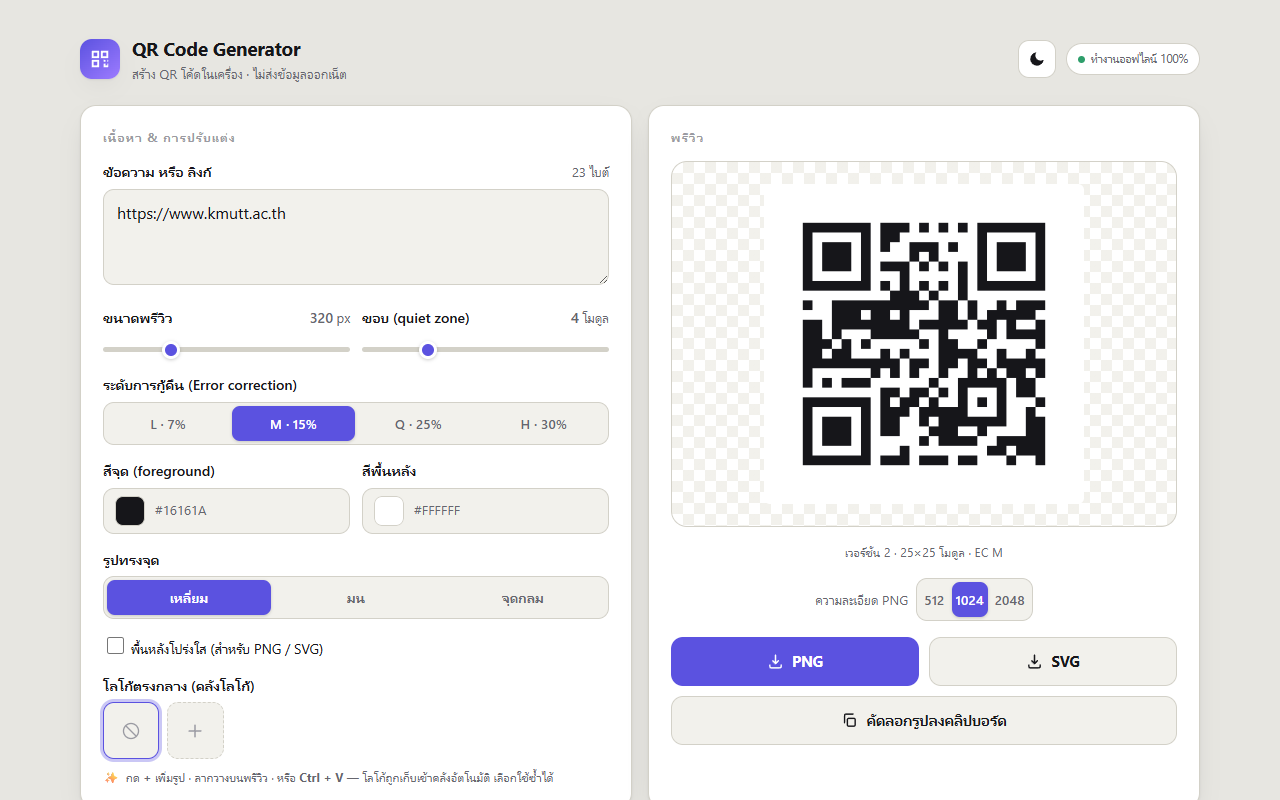
Generated entirely on your machine
The QR engine is inlined in the file rather than pulled from a CDN — save the single page, open it with no network, and it still works. The app draws the matrix itself for both the canvas (PNG) and SVG outputs, handles Thai text and emoji, and can place a logo in the middle.
Proving it scans, not just that it looks like a QR code
Add a logo and the image still looks fine — but "looks fine" isn't "readable". So the test reads the pixels back out of the rendered image and compares them against the source matrix module by module. One mismatched cell is a failure.
LAN team mode
Run the small server and everyone on the same network can generate codes, with a copy landing back on the owner's machine. Which means it is now a real web server — and the security review taught me what that word costs: gate files with an allowlist rather than a blocklist, decode the filename before comparing it rather than after, and treat a user-supplied SVG as stored XSS if you serve it as-is.
The lesson: an offline tool and a server are different animals. The moment you open a port, the whole rulebook changes.
The live site is behind the button above.